Ten Fingers and a Nose: What Leading QA for a Children’s Mobile Game Taught Me About Quality
A mobile app was freezing, but only sometimes. The team could not reproduce the problem consistently, and the usual testing paths looked stable.
Then a child interacted with the screen in a way no adult tester had tried.
The app froze.
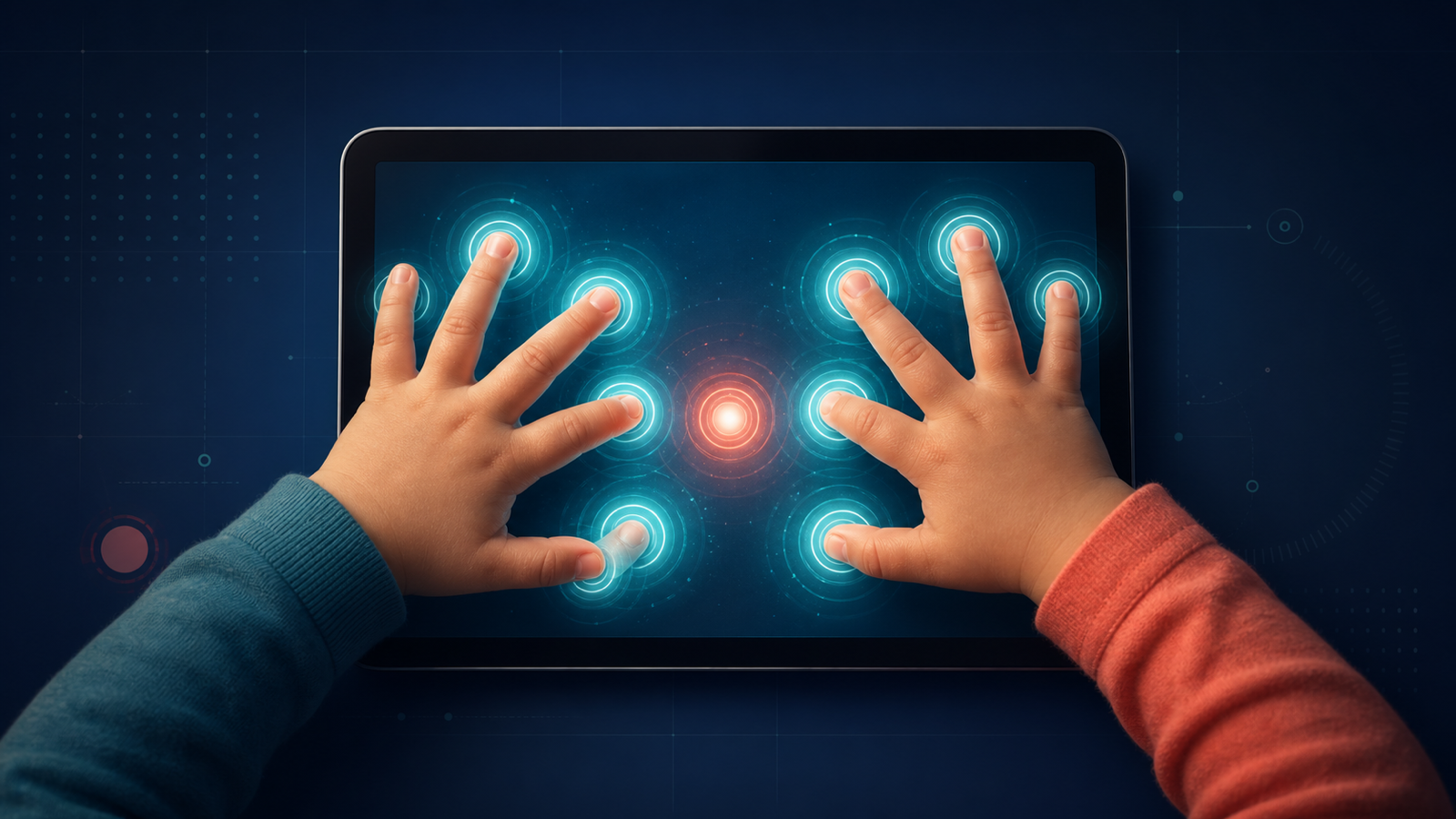
That spontaneous moment gave me the clue I needed. After investigating the interaction, I isolated the condition: the freeze occurred when the device received more than ten simultaneous touch points. I reproduced it with ten fingers and a nose.
The defect was fixed before release. But the more important result was a permanent change in how I thought about quality.
From an adult perspective, more than ten touch points can sound unrealistic. Adults usually hold a tablet in a predictable way. We tap one control at a time, avoid resting our hands on the screen, and assume that one person is using the device.
A young child may do none of those things. A child can place both hands on the display, hold the device by touching the active area, or share it with someone else. Some users may be touching a tablet—or playing a video game—for the first time.
The lesson was simple: the behaviour we call “normal” often describes the tester, not the user.
Adults Are Not the User
Adults bring years of learned behaviour to every digital product. We recognize buttons, menus, progress indicators, close icons, and common gestures. We know that tapping repeatedly may not make an animation finish faster. We understand that a disabled button means we need to complete another action first.
That knowledge feels natural because we have practiced it for years.
When testing a product for young children, assuming the same knowledge creates blind spots. A control that feels obvious to a designer, developer, or QA engineer may have no meaning to someone encountering that pattern for the first time.
Even the way a device is held can change the result. An adult may support a tablet by its edges. A child may rest a palm on the screen while tapping with the other hand. An adult may wait for feedback after one interaction. A child may touch multiple objects quickly, rotate the device, or invite another child to participate.
None of these behaviours are “wrong.” They are part of the operating environment.
This changed my role in design and QA discussions. Instead of asking only whether a feature worked according to its specification, I started asking what the feature assumed about its user.
Could the user read? Would they recognize the control? What happens if they do not wait? Can the device interpret several simultaneous touches? Does feedback make the next action clear?
Those questions expose product risk before a test case ever does.
The Bug No Adult Would Reproduce
The simultaneous-touch freeze is memorable because it showed the limit of conventional reproduction steps.
The team knew that the app had frozen, but we did not know what triggered it. Repeating the expected flow did not help because the expected flow was not the cause. The missing information was physical behaviour: how the screen was being touched.
Once a child’s spontaneous interaction exposed the condition, I could turn observation into investigation. I varied the number of touch points, repeated the action, and confirmed the threshold. What had looked random became reproducible.
That distinction matters. A vague report that “the app freezes sometimes” is difficult for a developer to act on. A condition that can be demonstrated and repeated gives the team something concrete to diagnose and repair.
The value of QA in that moment was not only technical. It was interpretive. I had to notice that the user’s interaction was different, connect it to the failure, and translate it into useful evidence.
Since then, “ten fingers and a nose” has become part of my personal mobile-testing routine. It is a slightly funny reminder of a serious principle: interact with the product beyond the habits of an experienced adult user.
A Child May Be Using a Tablet for the First Time
Testing for young children requires a different baseline.
Some users may have extensive experience with mobile devices. Others may be holding one for the first time. The purpose is not to generalize all children into a single behaviour pattern. It is to recognize that the range of prior experience can be very wide.
That range affects what we can safely assume.
A first-time user may not understand that an image is interactive. They may not know where to look after completing an action. They may miss subtle visual feedback, or interpret animation as something to watch rather than something that confirms progress.
This is why a happy path alone is not enough. A scripted adult can follow the intended sequence and prove that the software accepts the correct inputs. That does not prove that the experience communicates the sequence to its actual users.
For QA, the question becomes broader than “Can the task be completed?” We also need to ask, “Does the product help the user understand what to do next?”
“Intuitive” Is Learned
In product conversations, “intuitive” is often treated as a quality of the interface. In practice, it is usually a prediction about the relationship between an interface and a user’s previous experience.
That makes it a hypothesis, not a fact.
On the projects I worked on, many early decisions naturally began with what designers and other adults believed would happen. That is a necessary starting point. Teams cannot build without hypotheses.
The risk appears when a hypothesis becomes invisible—when everyone begins treating an expected behaviour as guaranteed behaviour.
QA can help keep that distinction visible. During design meetings, I listened for assumptions that affected testability, comprehension, or user risk. When something seemed potentially confusing for a child, the best time to raise it was before the feature was implemented.
Early discussion was cheaper than discovering the problem after design, art, development, and integration were complete. It also made QA a participant in product quality, not just the group that judged the finished implementation.
Observation then helped validate or challenge the original hypothesis. Formal testing, informal interaction, and defects found during development all provided evidence. No single observation defined every user, but each could reveal an assumption worth examining.
Instructions Must Work Without Reading
Any on-screen instruction for a young audience must be evaluated without assuming that the user can read it.
That sounds straightforward: add audio. In reality, audio guidance creates an entire testing problem of its own.
First, the audio must happen at the right time. If it starts before the relevant object appears, the instruction loses context. If it starts too late, the user may already be tapping randomly.
Second, repetition needs careful behaviour. Does the instruction repeat automatically? Can the user request it again? Does it become irritating or overlap with another sound? What happens if the user acts while it is playing?
Third, audio and animation must remain synchronized. A voice may refer to an object while the animation is drawing attention somewhere else. Both components can be technically correct and still create a confusing combined experience.
Fourth, localization can change duration, emphasis, and meaning. A sentence that fits one language may outlast the animation in another. Testing only whether the correct file plays is not enough.
Finally, the team must validate comprehension. Hearing an instruction does not prove that the user understood it. The real outcome is whether the guidance helps the child make the next meaningful interaction.
For QA, this requires looking beyond functional playback. We need to test the complete communication loop: prompt, timing, attention, action, feedback, and recovery.
Test Design Assumptions Against Real Behaviour
Real-user observation does not replace structured testing. It improves it.
The simultaneous-touch issue became a repeatable test after an unplanned interaction revealed the risk. Questions raised during design became scenarios for exploratory testing. Confusion around instructions became checks for timing, repetition, and feedback.
This creates a useful cycle:
- The team proposes how the experience should work.
- QA identifies the assumptions behind that proposal.
- Testing and observation collect evidence.
- The team updates the design, implementation, or risk assessment.
- Regression coverage protects the behaviours that matter.
The objective is not to imitate every possible movement a child might make. That would be impossible. The objective is to expand the team’s model of the user and select tests based on credible risks.
This is also where technical knowledge matters. Device input, state transitions, concurrency, audio systems, localization, and animation timing can all turn a small interaction difference into a significant defect. A QA Lead needs enough technical understanding to connect the observed behaviour with the systems that may be affected.
How Observations Affect Release Decisions
Not every unexpected behaviour has the same release impact.
A cosmetic issue in a low-risk area may be accepted for a later update. A crash or freeze caused by plausible user behaviour deserves a different response. Instructions that prevent a young user from progressing can also be more serious than their technical severity first suggests.
When I participated in release decisions, I tried to connect each issue to user impact, likelihood, business importance, and the team’s ability to fix and validate it safely.
The simultaneous-touch freeze was repaired before release because the consequence was severe and the triggering behaviour was credible for the audience. That reasoning is more useful than calling the case unusual and moving on.
This is one of the leadership responsibilities of QA: translate testing evidence into a decision the product, development, and business teams can understand.
The evidence might begin with a child touching a screen. It becomes valuable when QA can explain the condition, reproduce it, assess its impact, and help the team decide what must happen before release.
Five Principles I Carry Forward
That experience left me with five principles for testing products for young children.
1. Observe behaviour before defining “normal”
Expected use should come from the audience, not only from the people building the product.
2. Treat intuitive design as a hypothesis
Every apparently obvious interaction depends on knowledge, attention, motor skills, and previous experience. Test the assumption.
3. Test the device as the user physically uses it
Hands, grip, orientation, repeated taps, simultaneous touches, and shared use are part of mobile quality.
4. Validate instructions without assuming literacy
Audio must be tested as a complete experience involving timing, repetition, localization, animation, comprehension, and recovery.
5. Bring user risk into release decisions
QA leadership is not measured only by defects found. It is demonstrated by helping the team understand which problems matter, why they matter, and what confidence is required before release.
I still test with ten fingers and a nose.
Not because every user will do exactly that, but because it reminds me to challenge the comfortable assumption that experienced adults naturally represent the people using the product.